PDF Duo › Sign
Sign a PDF on iPhone for free, with no account and no watermark
PDF Duo lets you sign a PDF on iPhone with your finger, keep several signatures and initials on this phone only, fill in the form, and send a flattened copy: free, with no account, no ads and no watermark.
Updated 27 October 2026
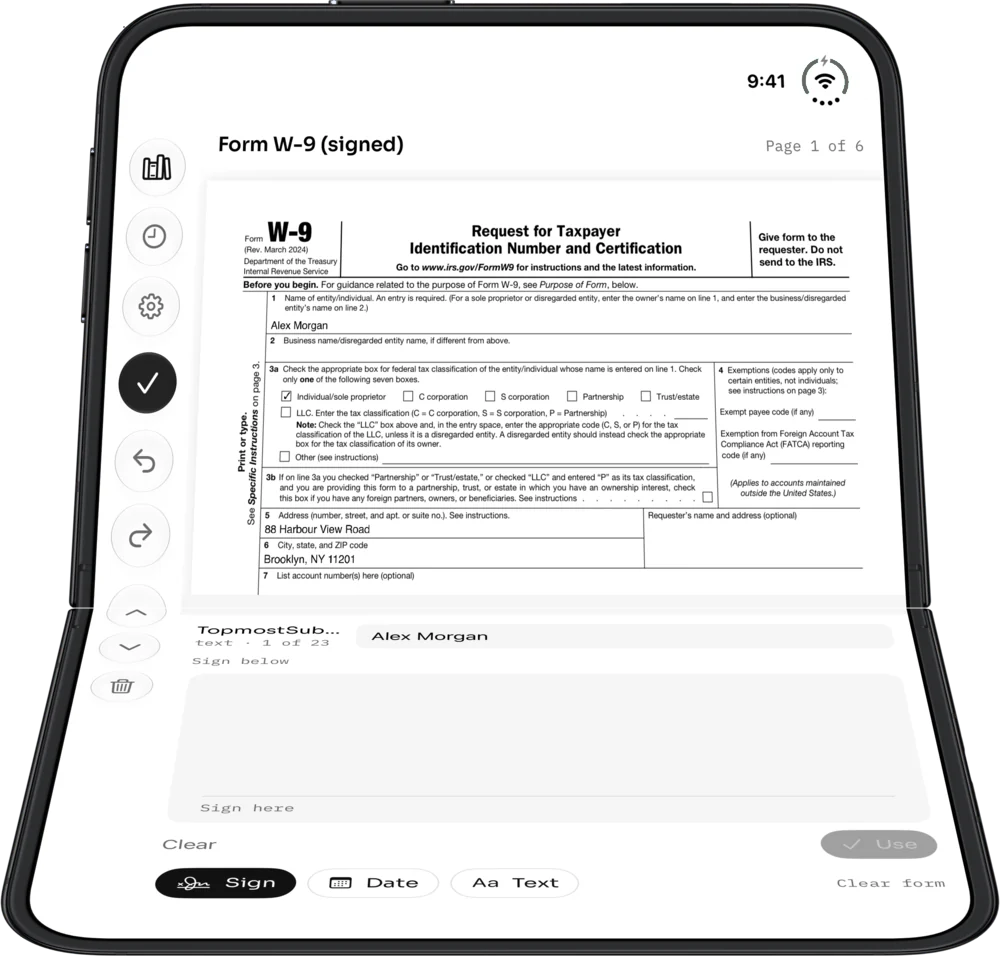
How to sign a PDF on iPhone
- Open the PDF in PDF Duo and tap Fill and sign.
- Tap Sign and draw your signature with your finger. Save it, and it’s there next time; save your initials the same way.
- Drag, pinch and turn the signature into place.
- Add today’s date with Date, or a line of text anywhere on the page.
- Choose More › Export flattened and send the copy: your signature is burned into the page and can’t be moved or lifted.
Your signatures stay on your phone
Save several signatures and initials. They are kept in this iPhone’s Keychain, for this device only: never synced to iCloud and never uploaded. PDF Duo has no account and no cloud service of ours.
On iPhone Duo: sign half open, like a laptop
Half-fold the Duo like a laptop. The page stands above the fold, and when you sign, the signature pad lies flat under your hand.
A handwritten signature, not a digital certificate
PDF Duo places your handwritten signature on the page. It is not a certificate-based digital signature. If the other side asks for a signing platform or a certificate, use that instead.
What editing covers
Reading, mark-up, form filling, signing and flattened export are all free, with no subscription and no watermark on what you send. You can sign, fill, highlight, draw, add text and notes, and reorder pages. Editing a PDF’s existing text or images is not supported yet.
Questions
Is signing really free, with no watermark?
Yes. Signing, form filling and flattened export are free, with no ads, no watermark, no account and no subscription.
Can I save my signature and reuse it?
Yes. Save several signatures and initials. They stay in this iPhone’s Keychain, never synced or uploaded.
Is it a digital signature?
No. It is a handwritten signature placed on the page. Certificate-based digital signatures are not supported.
Can the person I send it to move my signature?
Not if you send a flattened copy (More › Export flattened): the signature, marks and form values become part of the page.
Do I need an account?
No. There is no account and no sign-in, and it works offline.

Free on the App Store. Free · No ads · No watermark · No account